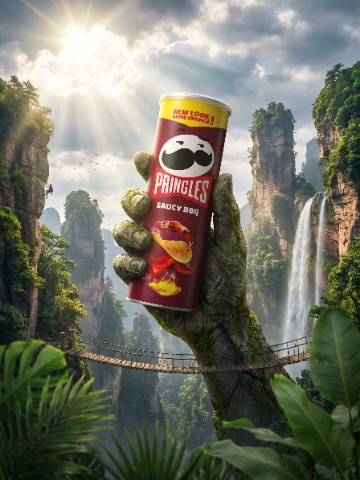


Tropical Oasis
Instagram is judged as a grid before any single post is opened. These templates give a product brand a feed that reads as one visual system — consistent light, colour and framing — while each post still stops the scroll on its own.
518 templates · 56 with video
131 templates
112 templates
242 templates
33 templates
Channel Guide
Instagram's developer documentation defines feed images by aspect-ratio range rather than fixed sizes: anything from 4:5 (portrait) to 1.91:1 (landscape), between 320 and 1440 px wide. 4:5 is the tallest the feed accepts, which makes 1080 × 1350 the format that occupies the most screen — and the one most product brands should default to. Reels and Stories are 9:16, and the same product scene can be exported to both frames.
The grid problem is consistency. A profile is scanned as nine or twelve tiles at once, and a brand whose products sit in nine unrelated worlds looks like a reseller. The fix is a small set of recurring backgrounds and one lighting logic, with variety coming from the products themselves and from occasional lifestyle posts. Generating every image from the same product photo, with the same template family, produces that consistency by construction.
Individual posts still have to earn attention. Scale shots (the product in a hand), texture close-ups and short clips are what get saved and shared; polished catalogue shots are what get scrolled past. A healthy product feed alternates between the two: clean hero images to anchor the grid, and human, tactile posts to drive engagement.
It is the tallest ratio Instagram accepts without cropping and takes the most vertical space in the feed. 1080 × 1350 px.
The grid reads as a system when backgrounds repeat. Vary the product and the lifestyle posts, not the studio look.
Clean product shots anchor the grid; in-hand, texture and short clips get saved and shared. Post both, in turn.
For a reusable product-content workflow, 1080 × 1080 is a square preset, 1080 × 1350 is a 4:5 portrait preset, and 1080 × 1920 is a 9:16 vertical preset. These are working export choices, not universal upload limits. Pinterest recommends a 2:3 image such as 1000 × 1500. Preview the actual posting route because organic posts, API publishing and ads can have different requirements.
A practical vertical master is 1080 × 1920 (9:16), but the destination's rules determine what it accepts. TikTok's Non-Spark in-feed ad documentation recommends 9:16 at a minimum of 540 × 960 and lists a maximum 500 MB file size. Current YouTube guidance categorizes eligible square or vertical uploads up to three minutes as Shorts. Check the publishing route and preview overlays before exporting.
A practical starting point is 6-8 useful images: a clean product view, alternate angles, scale, material detail and one or two in-use scenes. This is an editorial shot list, not a platform minimum or a conversion guarantee. Etsy permits up to 20 photos per listing; Shopify permits up to 250 media items per product. Add an image when it answers a new buyer question.